
Match community translations to your game edition
Read the release and demo lists separately. The developer’s community localization repository gives the state of each translation file. A version printed there is the maintainer’s label for that file. It is not a promise that every later patch, menu or mod displays correctly.
For English or Simplified Chinese, check the game’s existing Language menu before downloading anything. A community Chinese reference file in the repository does not mean Steam requires a separate patch for the full game. If you need a different language, compare its region and version as well as its name.
Scroll the table for more columns.
| Language | Full Steam game | Steam demo or separate package | What to check |
|---|---|---|---|
| English | Built in. Repository reference at v1.0.2. | Demo reference at v7.0.1. | Use the game’s English option unless you are checking a known reference file. |
| Simplified Chinese | Built in. Repository release file v1.0.2. | Demo repository lists v7.7.9 (+f7b5136). | Use the edition’s built-in menu option where available. Match the demo row if you are comparing a community file. |
| Russian | Community JSON v1.0.2 in the release list. | Demo file listed at v7.7.9 (+f7b5136). | Pick the correct branch in the developer’s repository and test the Language menu after placing the file. |
| Japanese | Maruineko’s separate community mod supports the full game by the author’s instructions. | The author also supports the demo. Repository demo JSON v5.1 is an older file. | Select the creator’s current package. The author warns that the old demo-era pack does not match current translation data. |
| German | Community release JSON v1.0.2. | Demo JSON v7.0.1. | Take the file from the release or demo list for your Steam entry. |
| Spanish (Latin America and Spain) | The developer’s list has two separate v1.0.2 files. | Latin America: v1.0-demo. Spain: v7.7.9 (+f7b5136). | Match the region and edition together. The two demo labels are different. |
| Korean | Community release JSON v1.0.2. | Demo JSON v7.0.1. | Check a menu and an item label after changing language. |
| Ukrainian | Community release JSON v1.0.2. | Demo JSON v7.7.9 (+f7b5136). | Download the actual file from the appropriate list rather than using a name from a repost. |
| Vietnamese | Community release JSON v1.0.2. | Demo JSON v7.7.9 (+f7b5136). | Treat the label in the repository as file-specific. Check installed strings in your own build. |
| Other demo files | Check the release list for your target before using a demo file. | The demo index includes additional locales, including ones marked incomplete or outdated. | For example, French is marked incomplete at v7.0.1 and Traditional Chinese is listed at v5.1. Read the row status before installing. |
Full game language listing on Steam
Developer’s community release locale list
How to install Casualties: Unknown language patches
A bundled translation mod can have its own steps. Verify the author’s target and follow the package layout; the standalone JSON procedure does not describe plugin installation.
- Open the Steam install folder for the correct edition. For a standalone locale JSON, use the folder that already holds EN.json under CasualtiesUnknown_Data/Lang. The older itch.io prototype page describes Data/Lang; check the actual installation instead of creating a second directory.
- Start the game, open settings with the drop-capsule icon and select the added entry in Language. Check both menu text and a familiar in-game label. If it is absent, check the edition, extension and folder before reinstalling anything.
Check whether a language file matched the build
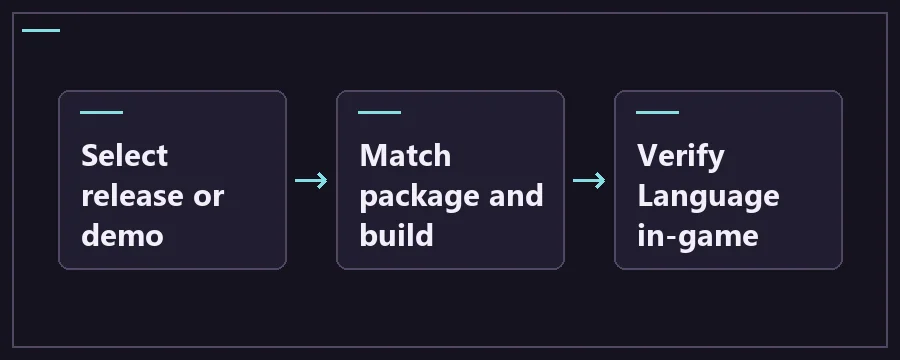
Close the game, find the Steam Library entry you actually run and use Manage → Browse local files. For a loose JSON, check that you are in the existing Lang folder alongside EN.json. Save the downloaded JSON itself. A browser can save a GitHub HTML page under a filename that looks right, so open the downloaded file in a text editor if the game does not list it.
Launch from the same Steam entry and select the added locale through the drop-capsule settings menu. Verify the language in the menu and on a familiar item or prompt. A wrong build can leave missing or untranslated strings even if the option appears. If the option is absent, check the extension and folder, the edition and whether you installed the right format before replacing any game files.
Maruineko’s Japanese package is a different path. The creator offers a BepInEx bundle, a separate translation component and a Casualties Together add-on that requires that component. Read the page before selecting the archive. For the complete bundle, the author says to place its contents beside the executable and use the title-screen translation menu or F8 for options. The author also documents a folder-path restriction for that mod.
A translation package can change fonts, images or line wrapping as well as text. To check whether Japanese works, confirm it at the title screen before testing another plugin. If only one mod’s labels are untranslated, look for the translation add-on for that exact mod and version. A fully translated base-game menu does not establish coverage for a separately installed co-op mod.
Which language patch or mod to remove first
- Save copies of the working settings and note what you installed. If you can reach the Language menu, switch back to a built-in language, then quit. When the problem began after adding one loose locale JSON, move only the added file out of Lang for the test.
- If the issue began after installing or updating a font, translation or co-op add-on, remove the newest conflicting add-on first from the active setup. Keep the translation component’s required loader in place while testing that component by itself.
- Launch the correct edition and check the main menu and a known item label. If the issue persists, test a clean base game or only the translation and its documented dependencies. Check LogOutput.log when the translation is a plugin.
- Add optional plugins back individually once the translated base game works. If one combination brings the issue back, compare both authors’ release notes and report the edition, package names and relevant log lines.
Casualties: Unknown language patch FAQ
Is Simplified Chinese a mod on the full Steam game?
Steam lists Simplified Chinese for the interface and subtitles. Check the Language menu first. The community localization repository also carries a matching reference file, but installing a plugin is a separate step for a package that needs one.
Can I use the old Japanese JSON instead of the current package?
The repository labels its archived demo Japanese file v5.1. Maruineko provides a separate community mod and warns that the older demo-era pack does not match the newer translation data. Check the creator’s current instructions for the edition you play.
Why are only some strings translated?
Compare the installed build against the file’s label and coverage. Some demo files are explicitly incomplete and a translation for the base game may not include strings added by a mod. Check a stock menu and a stock item before diagnosing a mod’s added labels.
Why is my downloaded language missing from the menu?
Confirm the correct Steam folder, the actual JSON extension and the folder that already contains EN.json. For a plugin-based package, check its installation instructions and the loader log instead. A plugin archive cannot be installed by copying it into Lang as if it were a loose JSON.