
Casualties: Unknown multiplayer versions
Once both players have the matching packages, follow the six installation steps below to set up BepInEx, check the main menu and start a Steam lobby.
Scroll the table for more columns.
| Game build | Mod |
|---|---|
| Steam full release 1.0.2 | 5.5.4 |
| Steam full release 1.0 | 5.5.0 |
| Steam Demo 7.0.1 | 5.4.1 LTS Demo |
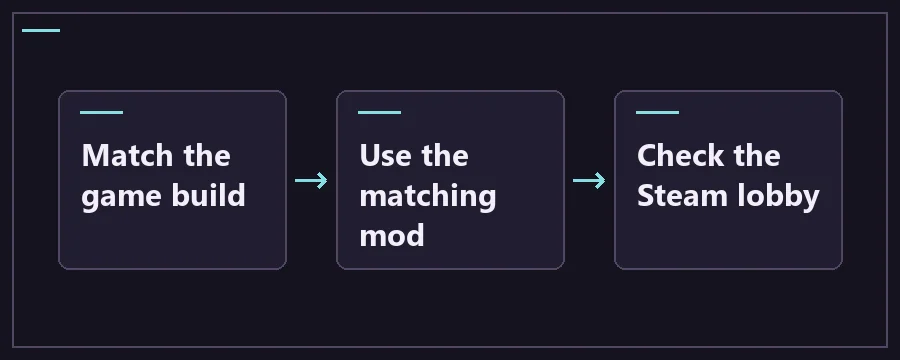
Install BepInEx, host a Steam lobby and join
Treat the first descent as a smoke test. Check voice or pointing, whether both players can see one another and whether you can move around the same nearby platform. Add optional mods only after this test works. The 5.5.4 release describes fixes to client loading, several invisible hazards and some unsynced rules. A fresh install with only the co-op package gives you a baseline for reporting bugs.
- Ask every player to launch the same Steam edition and confirm the game build. Close the game and save a copy of your solo data before adding the mod.
- Download the mod archive for that build. For full game 1.0.2, choose the 5.5.4 asset whose filename lists both the full game and BepInEx 5.4.23.5. Get the matching Windows x64 BepInEx release separately.
- In Steam, use Manage → Browse local files for that same edition. Extract BepInEx into the game root. The BepInEx folder and Windows loader files should be alongside the game executable.
- Open the folder inside the Casualties Together archive and copy its contents into the same game root, preserving the directory structure and bundled files. If you already have an older mod installed for this edition, use the release instructions to remove its obsolete files before replacing it.
- Launch through the Steam Library and confirm that the multiplayer controls appear. Have one player create a lobby and ask the others to join through Steam. Start with two players so it is clear whose setup needs attention if a join fails.
- On the full-release mod line, the host starts the session, then players choose a character and select Ready Up. Check that every connected player is ready before trying to start the descent.
Scroll the table for more columns.
| Package or check | When you need it | Download or reference |
|---|---|---|
| Casualties Together 5.5.4 | Full game 1.0.2. Match this release on each computer. | Casualties Together 5.5.4 release |
| BepInEx 5.4.23.5 | Select the Windows x64 asset for the full-game package above. | BepInEx 5.4.23.5 downloads |
| Maintainer instructions | Check the root folder layout or use the separate Proton instructions. | Casualties Together on GitHub |
| Loader log | Use if the game reaches the menu without multiplayer buttons. | Check the BepInEx log |
Fix missing multiplayer buttons or a failed join
For a regular friends lobby, start with Steam’s session path. The maintainer’s installation instructions do not specify a port-forwarding step for Steam lobbies. Start each game through the Steam Library, confirm Steam is online and ask the host to make a fresh lobby. If the buttons are absent on any machine, fix that installation before adjusting settings on the host.
Use a different host for one test if both clients can reach the lobby menu but only one can create or join a session. If the problem follows a particular player, check that install and its log next. If the same pair can connect in a fresh test but crashes on an older run, capture the layer and exact action before making any further changes.
Compare the rules the host set before deciding that another player’s game is broken. If the group disagrees on a visible game state, return to the smallest working setup and check whether host and client see it the same way. Use the maintainer’s release notes to distinguish a recently fixed loading problem from a feature that still behaves differently in co-op.
Show the four multiplayer troubleshooting checks
Scroll the table for more columns.
| Where it fails | First check | Next test |
|---|---|---|
| No multiplayer menu | Game root, BepInEx log and package edition | Launch the correct Steam entry and verify the log contains the plugin. |
| Lobby visible but join fails | Steam launch and exact game / mod pair | Recreate the lobby and test with co-op plus its bundled dependencies only. |
| Connected but the run will not start | Full-game character selection and Ready Up | Have every player select a character, ready up and confirm the host sees their state. |
| Client crashes or sees different hazards after starting | Exact 5.5.4 file for 1.0.2 and equivalent mod stacks | Retry a fresh test run before reporting the first error or desync. |
Casualties: Unknown multiplayer FAQ
Does everyone need the multiplayer mod?
Yes. Each participant needs to load Casualties Together on a compatible copy of the same Steam edition. One host installing the mod does not add the new controls to another person’s game. Start by comparing the archive filenames and loader versions on both computers, then check that the multiplayer controls appear on each main menu.
Can somebody on the demo play with somebody on the full game?
Use the demo package together on Steam Demo 7.0.1, or use the full-game package together on the matching full build. Both Steam editions use separate install folders and different mod archives. If one player owns the full game but the other only has the demo, both can install the free demo and use the demo-specific setup for that session.
Which ports do I need to forward?
Start with the documented Steam lobby flow. The maintainer does not list a required inbound port for a normal friends lobby. Confirm that both players are online in Steam, that the launcher is the Steam Library and that the host can recreate the lobby. A dedicated server is a separate setup and should follow the project’s own instructions for the specific release.
Why does the mod menu appear but my friend cannot join?
Seeing the menu confirms the plugin reached the UI on that machine. Compare the edition and mod version on the friend’s machine as well. Check that the friend opened the same Steam install after copying files. A two-player lobby with matching stock configuration and no optional plugins is a useful next test. Reintroduce extra plugins only after it succeeds.
Why are my custom skins or gameplay plugins acting differently?
The notes for 5.5.1 say several features, including custom skin support, were folded into the mod. That release also documents a directory change for older Multiplayer Sprite Replacer folders. Follow the exact release instructions before copying old custom files. For gameplay mods, check that their authors explicitly support your multiplayer and game versions, then test with the whole group.
How do I switch back to single-player?
The author documents Deactivate MP Mod in Settings → General. Use it before opening a solo run you want to keep. If you need to remove the mod completely, close the game and follow the installation archive and removal instructions to identify its files. Keep your solo backup until you can confirm you are back in the intended state.
What should I record when a client disconnects?
Note who hosted, the game and mod versions, whether the disconnect happened in the lobby, on loading a layer or during one action, and any other mods still installed. Ask the affected player for the relevant BepInEx log as well as the host. Try the same action in a new test run so a reproducible issue can be distinguished from an old save problem.
Can I use this Windows setup on Steam Deck?
The maintainer includes separate Proton instructions in the project documentation. Check support for your exact mod release before using them. The Windows installation path above assumes the native Windows loader and its normal startup behavior. If you see the Steam game but no multiplayer menu under Proton, verify the loader step in the maintainer’s Linux instructions first.