
Casualties: Unknown mods and their supported builds
Scroll the table for more columns.
| Project | What it adds | Game and file version | Loader or dependency |
|---|---|---|---|
| Casualties Together | Steam co-op lobbies, shared descents and character selection. | Mod 5.5.4 targets full game 1.0.2. Mod 5.4.1 Demo LTS targets Steam Demo 7.0.1. | BepInEx 5.4.23.5 for the 5.5.4 Windows package. Keep its bundled dependencies. |
| CUCoreLib | Shared functionality for mods that declare it as a dependency. | Author calls v1.1 the last release with promised demo support. Match the dependent mod’s required library version. | A BepInEx plugin. Install the library version the other mod requests. |
| CasualtiesExtra | Optional gameplay additions, with settings and features that vary by release. | 2.0 experimental targets the full release. 1.4 stable is in the demo line. | BepInEx plugin. The 1.4 stable release explicitly requires CUCoreLib. Check the selected file for additional requirements. |
| Gunsaw Genetics | Playable species changes and an optional multiplayer integration on supported versions. | The linked Nexus file lists full game 1.0.2. Older files list Demo 7.0.1. | BepInEx. Check the Nexus Requirements and Files tabs before adding any multiplayer integration. |
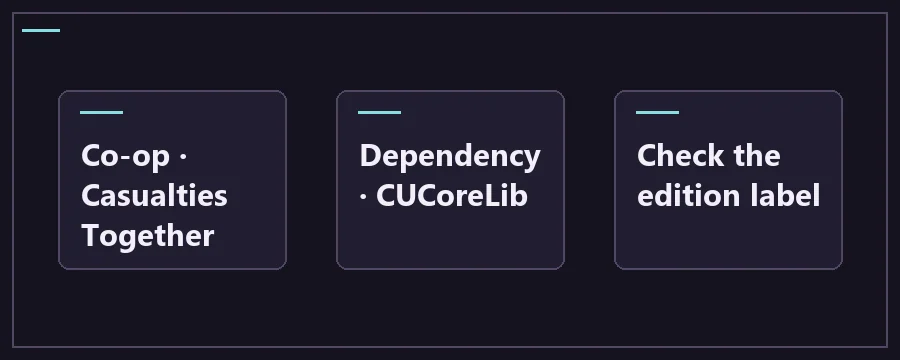
Check build, loader and dependencies
Start with the Steam entry you actually launch. The full game and the demo live in separate folders and their version numbers belong to different release lines. The word Scav in a download can be a remnant of the old name. Use the game build printed next to the file to decide where it belongs, then compare the full archive name to the one you downloaded.
The game version, BepInEx version and individual plugin version are three separate checks. Write down all three before changing the install. If a mod depends on CUCoreLib, check that version too. Read the old and new release notes when upgrading, because a required library may become bundled or a previous dependency may be superseded. Keep one copy of each plugin in the active folder.
Start with a clean solo launch and back up the save you care about. Install the loader and verify it first. Add one mod with its required libraries, boot and look for its specific change before adding the next. If two packages change the same menu, rule or character data, test them independently. Two downloads targeting 1.0.2 can still conflict with each other.
Troubleshoot a mod that fails to load
Keep a short record of the mod setup you last saw working. One line per plugin with its download filename and source is enough. If Steam updates overnight, compare the new build with that record before installing a replacement. If the author has only confirmed the older build, set that plugin aside for testing and see whether you can reach the menu with the rest of the setup.
For a project with separate stable and experimental branches, confirm which branch actually serves the edition you want. CasualtiesExtra is one example where the full-game port is marked experimental and the older stable release targets the demo. Pick by target first, then read the notes about that branch’s limits. Run it by itself with its stated dependencies before deciding whether to add it to a co-op setup.
Scroll the table for more columns.
| Symptom | What to check |
|---|---|
| No fresh BepInEx log | Launch the correct Steam edition. Check the root folder and the author’s Windows loader version first. |
| Plugin listed with a dependency error | Read the missing dependency name in the log and use the version required by the plugin release. |
| Crash after adding a new package | Quit and remove the last package. Test the loader with only the current plugin and its dependencies. |
| New runs work but your save fails | Retain the backup and check the author’s uninstall or migration notes before reopening that save. |
Frequently asked questions about Casualties: Unknown mods
Where do I download Casualties: Unknown mods?
Use the project links above or the creator’s Nexus page under the Scav Prototype game listing. The listing name covers older work, so use the Files tab for the exact archive and read the Requirements tab before downloading. GitHub’s Releases panel is where you will find built packages. The source archive automatically attached to a tag generally serves developers and may contain no ready-to-load plugin.
Can I use a demo mod on the full Steam game?
Use a demo build only when the author specifically lists the full game as a supported target too. The two Steam editions can share names and visible items while calling different internal methods. A loader message can tell you that a plugin was discovered without proving that its changes actually work. When a maintainer offers a full and a demo archive, pick the one named for your installed game.
Do I need BepInEx for a translation?
A loose language JSON can go next to the stock language files following the developer’s localization instructions. A translation distributed as a DLL or a larger mod package may need a loader and additional files. Determine which type the author supplied before copying anything. The format and installation path are more useful clues than the word patch in a package title.
What if the mod loads but its feature is missing?
Check the author’s setup notes for a configuration switch, key binding or required restart. Compare the package version printed in the log to the download you intended to use. Test on a throwaway run with that package and its documented dependencies alone. If the feature returns, add the rest of the stack back one project at a time until you can reproduce the change.
Can I install every mod compatible with 1.0.2 together?
Game compatibility and compatibility with another plugin are separate questions. Two projects can replace the same sprites, adjust sleep or hook the same item behavior. Read any compatibility notes for the exact combination. For multiplayer, start by getting a lobby working with Casualties Together alone, then introduce only additions the authors support and verify that both host and client see the expected behavior.
Can Steam verify remove my mods?
Verification can restore base files. Added loaders, plugins and configuration files can still remain under the game folder, so check the package you installed and its removal instructions. Move only the mod files you can identify, with the game closed. Preserve your backup until you confirm that your intended solo setup can start and that any mod-dependent save still works or can be restored.
Should I install the newest nightly release?
Use the version named by the mod you are installing. A nightly may contain work in progress and can resolve one error while introducing differences elsewhere. If a plugin calls for the stable library, start there. When an author asks you to test a nightly to diagnose a bug, keep that test separate and record the exact build or commit before you report the result.
What information helps a mod author troubleshoot?
Include your Steam edition and game version, file names for the loader and plugin downloads, the list of other active mods, and the first meaningful error in the log. Say whether the failure begins at launch, on entering a run or after one clear action. Capture the same issue with only the mod and its listed dependencies if you can reproduce it without risking a save.